FORUM RULES UPDATED - The forum rules have been updated to continue to provide a friendly and safe environment for our member community. Please take a moment to review the updated rules and our terms of use and privacy policy. Click here for Forum Rules which has links to the 'terms of use' and 'privacy policy'.
In Other News . . .
You will notice a few enchancements to the forums to make your experience better. These include: Email Notifications, Thread Previews, Thread Starter Notation, and Emoji Options on the 'Like' icon. . .
Additionally, the merchant portions of the website have been updated and are now operational. . . . Check out iBoats for all your boating gear.
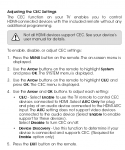
This is probably wrong since it would be easy. Would all I need is an HDMI cord connected between the 2, go to devices on the tv and click on the HDMI port I'm hooked to?
Yup, that is all ya do, then you are good to go with both picture and sound, might have to adjust the TV format to fit the screen correctly, but it works great, I do it on my second TV with my Media Center Computer.
Cool, thanks..... I'll pick up a cord when I drop off my LT and then pick up the trailer which is being made to look purty and the corner is fixed from the previous owner jack knifing it...
I buy good quality HDMI cables with network capabilities off ebay for 5 for $20 bucks with free shipping, much cheaper than any box store as well as amazon. I have been buying from the same company that supplies hundreds of retailers in this country, Best Buy, Walmart, Amazon and a host of others. Get them off ebay and save a ton of money.
Have HDMI cord hooked between the 'puter and tv. Went to devices on tv. How to I talk to my computer. Right now HDMI3 is for the cable which is running..... There's a device called Comp too.....
Yeah, I looked behind the tv and figured out what comp is. The cable is hooked to 3 which is on the side of the tv. 1 and 2 are on the bottom. I'm hooked to one of them, they're not labeld. I hilited each on on devices and still just have cable playing..
Are you saying I need to unhook the cable from the port on the tv? I would think I should be able to hook to 1 or 2?
When you select one of the non-working HDMI input ports on the TV, does it stay on that port? I have to click OK or Enter to actually choose a new input port.